Nia: A GenAI Shopping Agent for B2B Procurement
Overview
Nia helps procurement buyers research, compare, and check out hardware and software through one conversation, right beside the page they're on. Instead of adding a generic chatbot, we built AI assistant that removes the uncertainty from high-stakes B2B purchases.
Role
Product Designer
Led the design and product direction of Nia, guiding the team through a new GenAI space with no existing playbook. Uncovered core buyer pain points by feeding 500+ NPS survey responses into GenAI analysis, then iterated the experience through usability testing to MVP launch.
Keywords
GenAI Agent
End-to-End Commerce
B2B
Timeline
3 sprints (~6 weeks) to MVP
Impact
↑22%
faster purchase flow
↑15%
higher bundle attachment
↑12%
boost in user satisfaction
01 · The ask
Leadership asked for AI. I pushed for a real problem to solve.
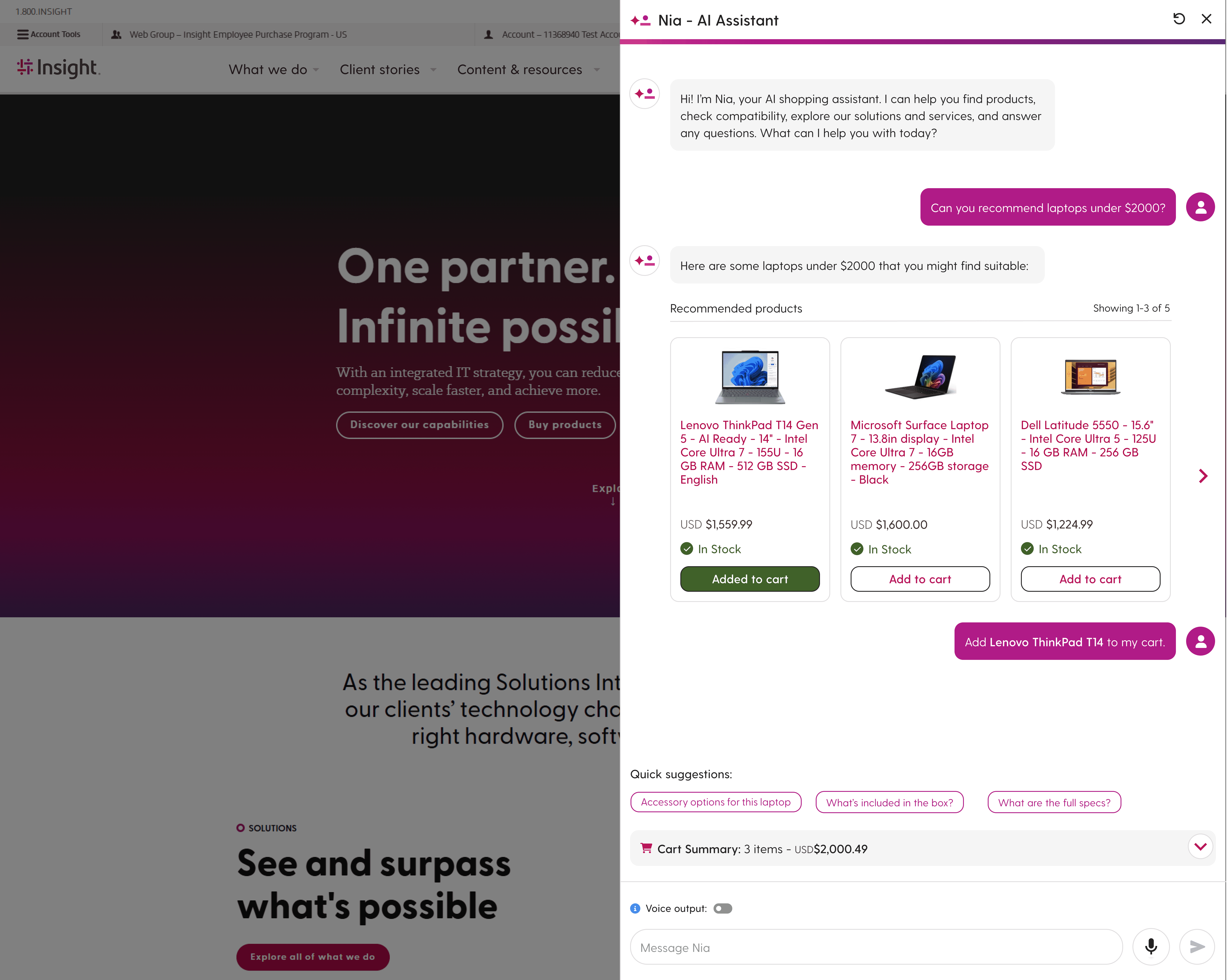
Leadership wanted AI elements on the platform, but the direction was wide open. In early brainstorms, the product team leaned toward a generic AI chatbot, the same thing many companies were already shipping.
Don't add AI for its own sake. Use it to solve a real customer problem.
As the only designer on the project, I pushed the team to start from customer data instead of a feature idea, and to measure success by satisfaction, not by shipping "AI."
02 · Discovery
Our NPS data pointed to the shopping flow, not the products.
Rather than guess, I fed 500+ NPS survey responses from Power BI into Azure OpenAI to cluster complaints and surface patterns.
Customers weren't unhappy with what we sold. They were unhappy with how hard it was to buy.
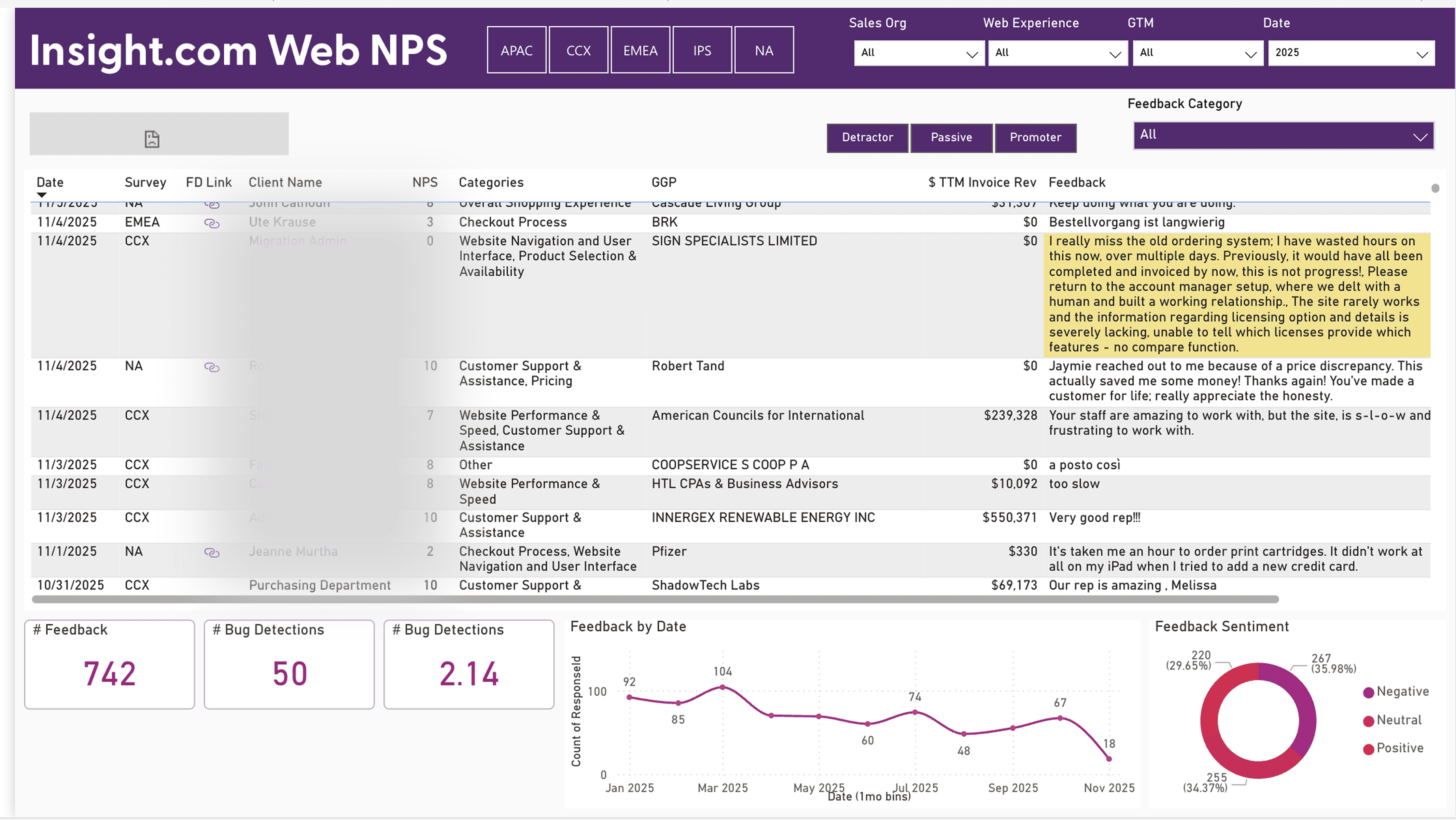
AI-assisted clustering of 500+ NPS responses surfaced the most common complaints.
Aligning the team on one problem
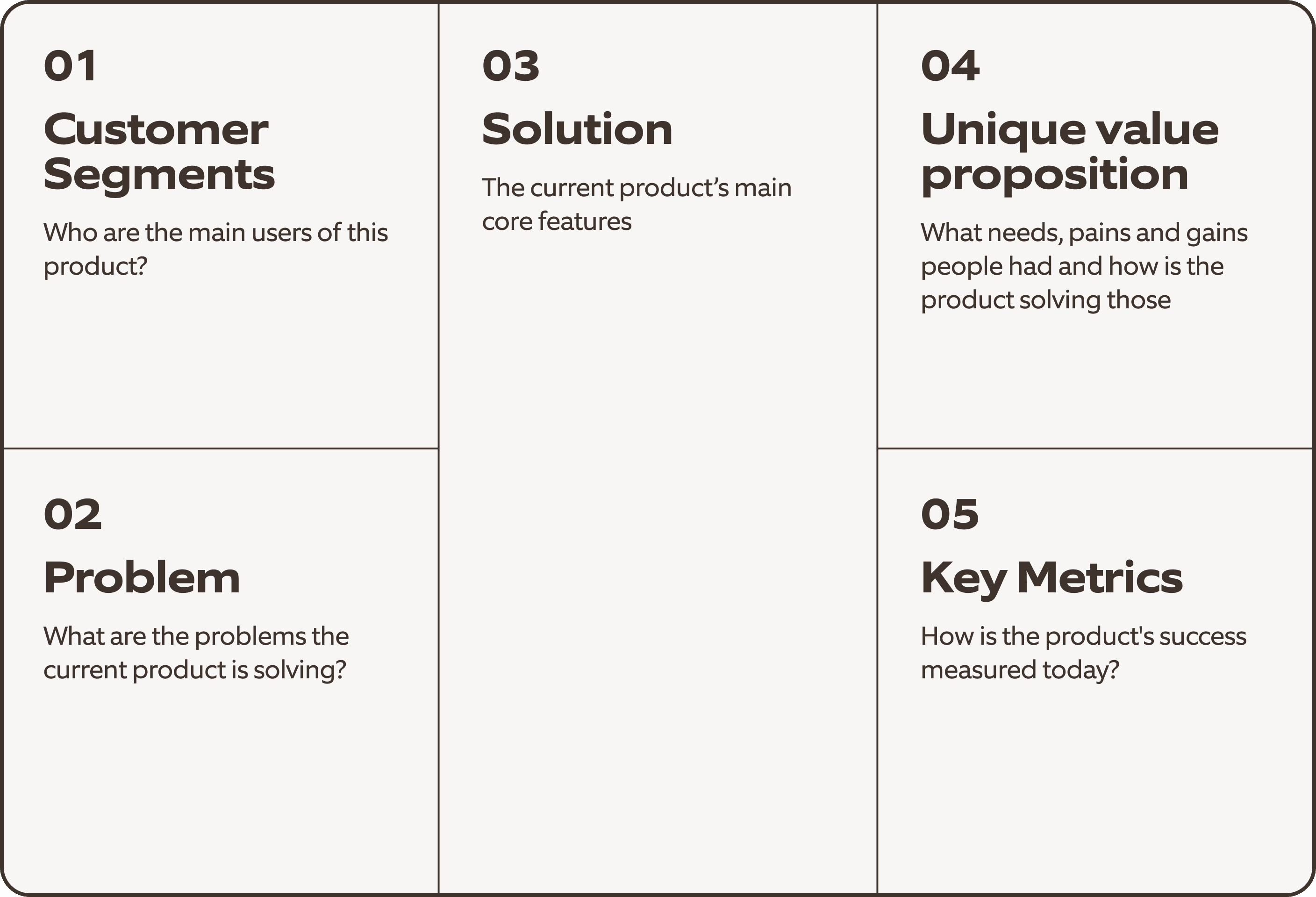
I brought the AI-synthesized pain points into a Lean Product Canvas workshop with product and engineering. Together we stress-tested assumptions and turned a vague mandate into a single, prioritized problem statement.
03 · The real problem
Buyers aren't experts, but they carry the risk.
Most of our buyers sit in procurement. They purchase hardware and software outside their expertise, every order has to fit the budget, and it has to survive a complex internal approval process. Questions come up at every step, and there was no one to ask.
The procurement buyer's journey
💬 Questions buyers had at each step
🔍
Step 01
Research
"Which laptop actually fits my team's needs?"
"What's the real difference between these two models?"
😕
Unsure
💰
Step 02
Budget check
"Is this bundle still within our budget?"
"Do I really need the extended warranty?"
😟
Worried
📝
Step 03
Approval
"How do I justify this purchase to finance?"
"What if I picked the wrong configuration?"
😩
Stuck
🛒
Step 04
Checkout
"If I leave to ask a question, will I lose my cart?"
"Did I miss a required accessory?"
😬
Hesitant
Representative questions synthesized from NPS feedback and usability sessions.
The barrier wasn't a lack of options. It was a lack of confidence.
🤯 Too many options
"Every brand says theirs is the best, but I can't tell what really fits our team's needs."
Business Operations Manager
🏷️ Default to price and brand
"I go with the brand we've used before or whatever's on sale. I don't really know the technical differences."
Procurement Specialist
⏳ Hours of manual research
"It takes me hours to gather specs and check compatibility."
Procurement Commodities Specialist
🎯 The confidence gap
For buyers like Rob, decision fatigue comes from the stakes of enterprise procurement, not a lack of choice. This reframed Nia from a search tool into a decision support system.
👨💼
Rob
Business Operations Manager
Buys for his team
Not a tech expert
Owns the budget
Core needs
⚖️
Hardware that fits budget and brand
🔄
Quick, automated product comparison
🛡️
Confidence from clear AI advice
⏱️
Less time and decision fatigue
Scenario
"I need three laptops for new hires, under $1,200 each, that fit our company brand. Then I need to compare performance and compatibility to make the best choice."
💡 How might we
Give non-expert buyers the confidence to make the right purchase, without leaving their workflow?
04 · Foundation
Accurate answers for high-stakes purchases.
I partnered with data and engineering to define what Nia could draw from and the logic behind its recommendations: aggregated specs, pricing, and buyer data, structured so answers stay accurate.
For a buyer spending company money, a wrong answer is worse than no answer.
How Nia builds an answer
What Nia knows
📦
Product catalog and specs
🏷️
Pricing and bundles
👤
Buyer profile and purchase history
🧩
Accessories and compatibility
→
What Nia does
✨ Nia
💬 Advise
Matches products to the buyer's needs
Explains the tradeoffs in plain language
🤖 Act as an agent
Adds items to the cart for the buyer
Places the order and completes the whole checkout
→
What the buyer gets
An answer they trust, or a finished order
✅ Why it fits their team
✅ Clear price and bundle total
✅ Matching accessories and protection
✅ Order placed, with Nia handling checkout
05 · First version
V1 was a full-page assistant. Users didn't trust it at checkout.
Our first version gave Nia its own full page. In usability testing, it broke down at the most important moment: checkout.
Buyers mid-checkout were hesitant to click away. They weren't confident they could get back to the exact step they left.
They'd rather push through with unanswered questions than risk losing their progress.
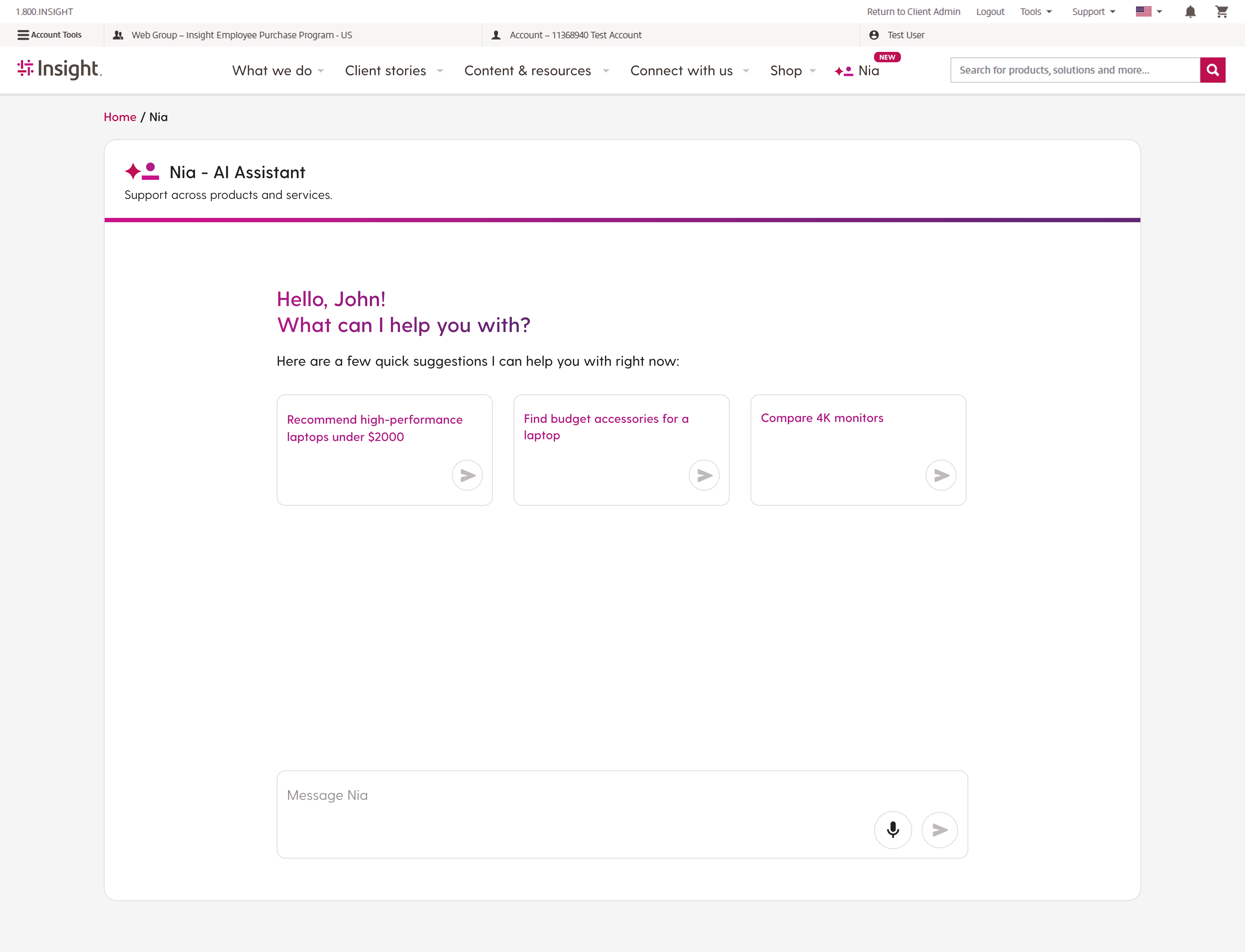
V1: Nia as a standalone, full-page experience, tested with procurement buyers in real shopping scenarios.
👂 What we heard
Leaving the page broke momentum, especially at checkout. Users also couldn't compare products while chatting with Nia.
🔧 What we changed
Keep Nia available on every page, and keep the conversation intact as users move between pages.
The launched experience
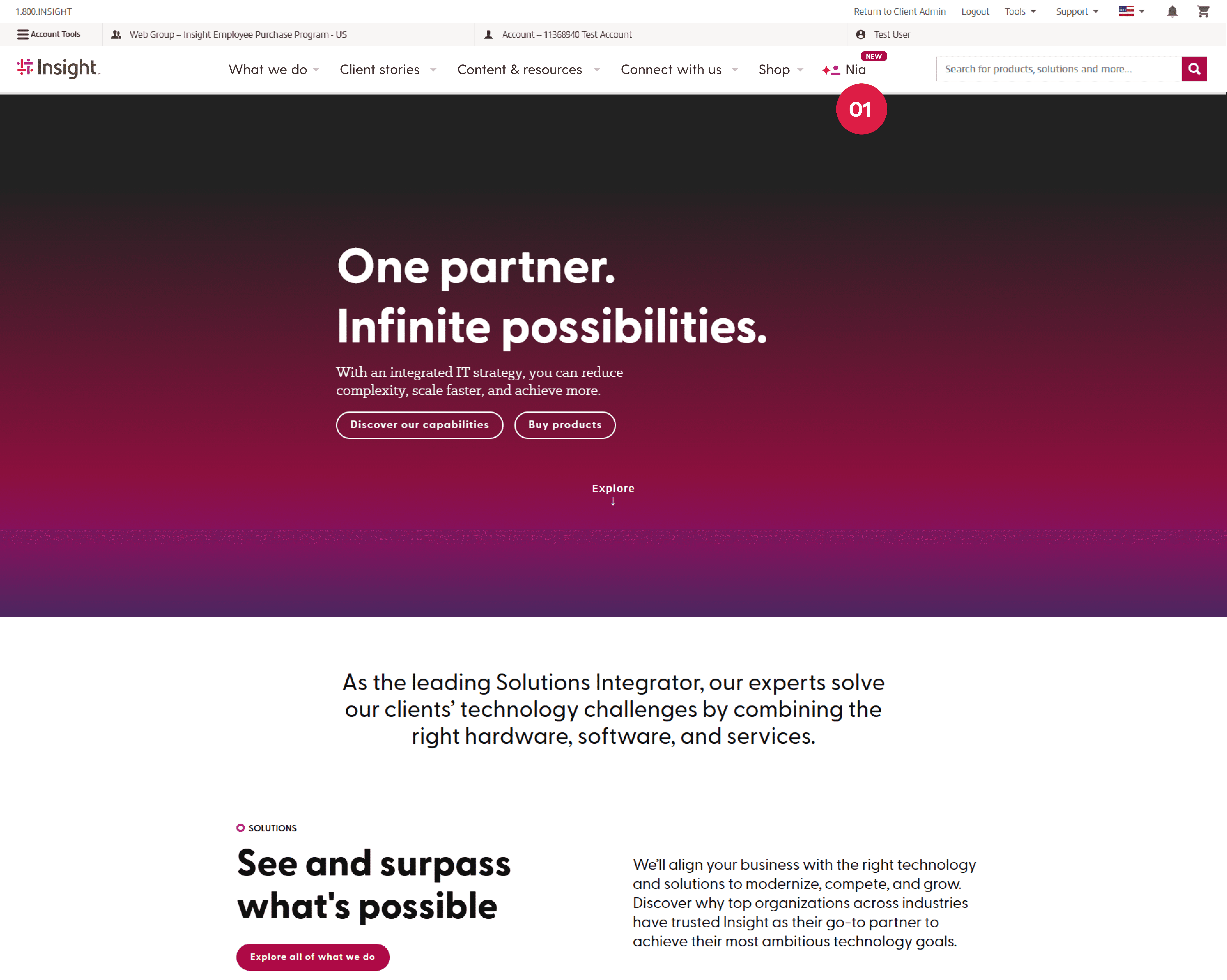
01. Buyers open Nia from the "Nia" tab in the top navigation, from any page.
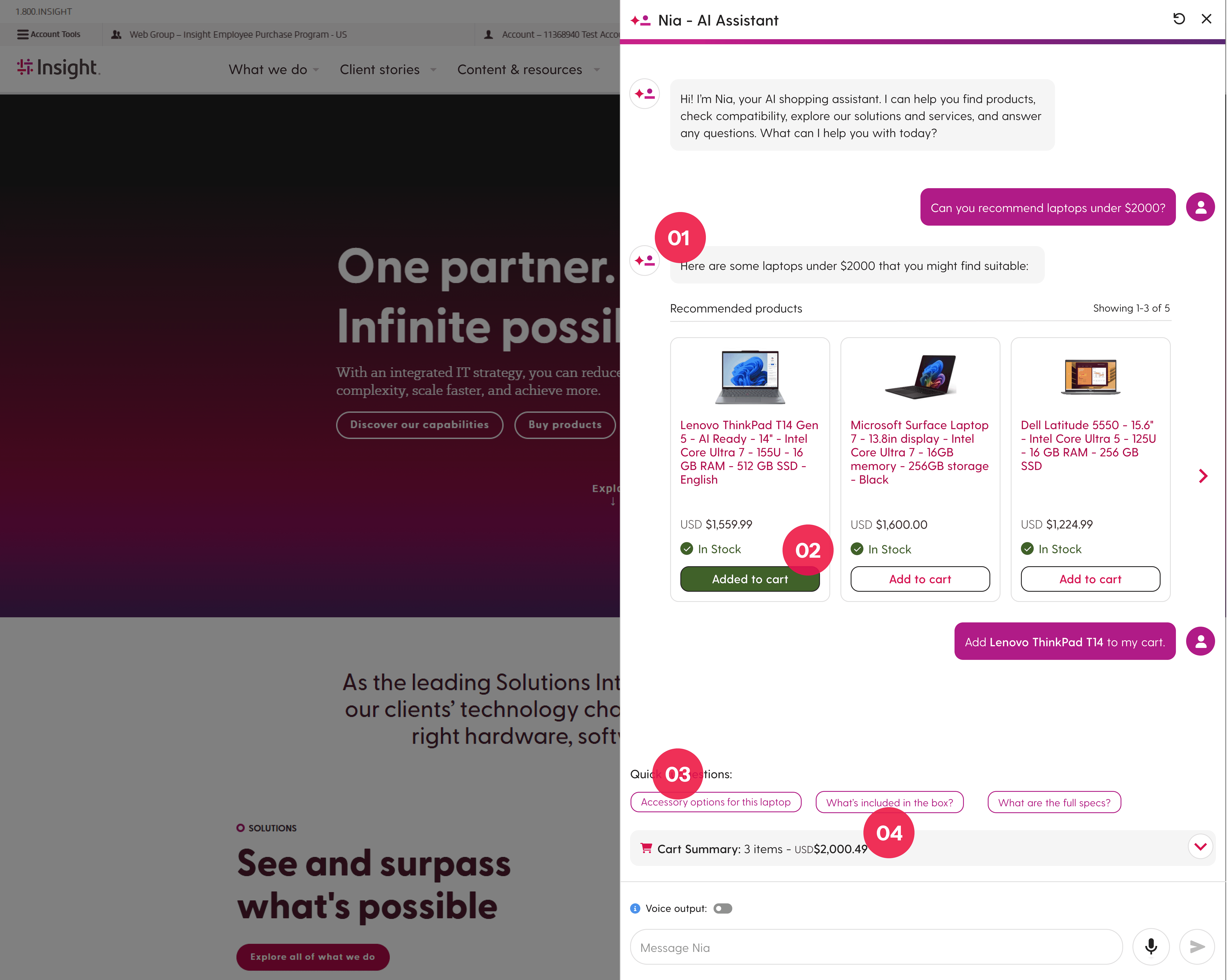
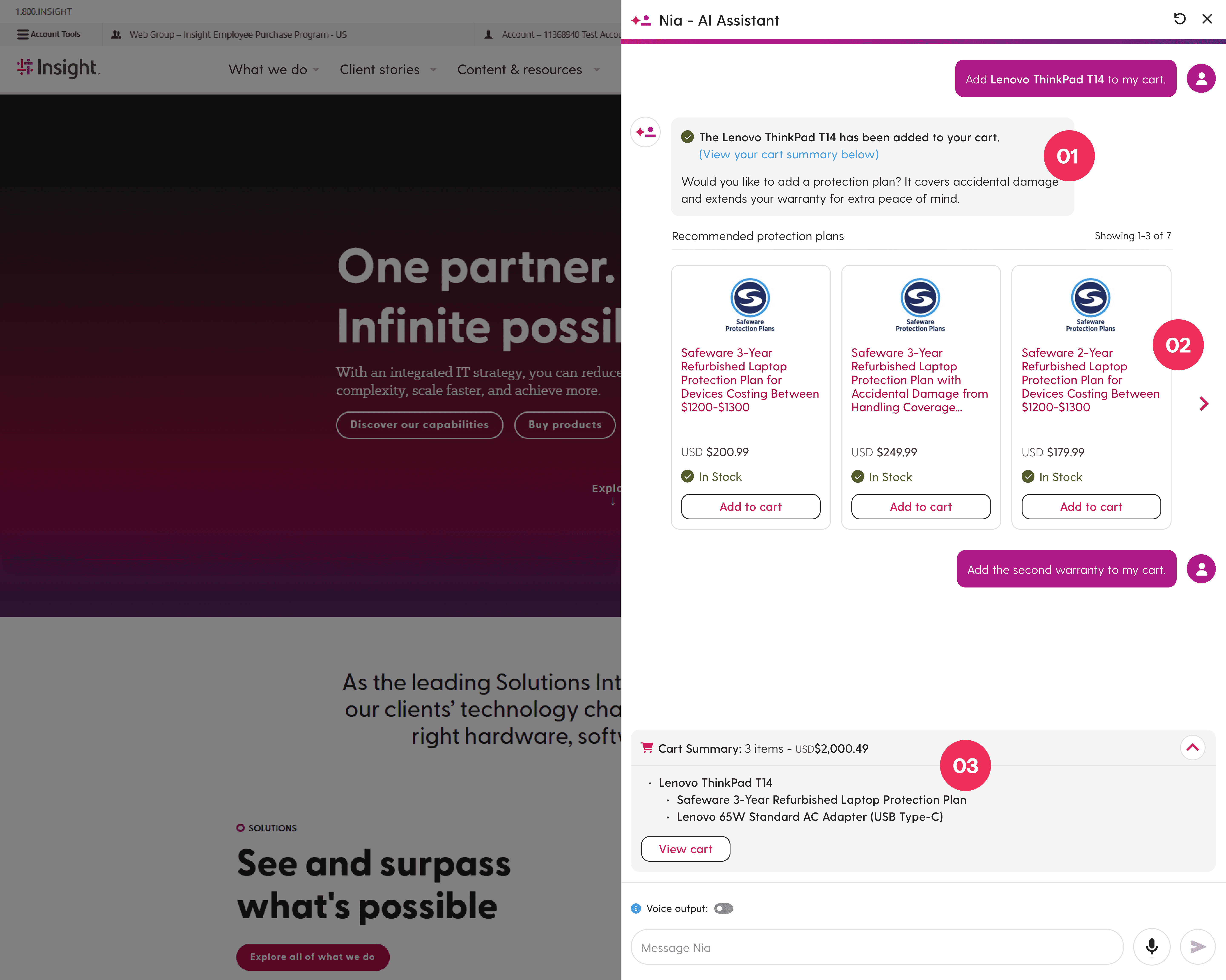
01. Nia summarizes added items in plain language for quick confirmation.
02. Nia suggests protection plans and accessories, so buyers can complete checkout inside the chat.
03. A live cart summary lets buyers review, adjust, or switch to manual checkout at any point.
06 · The pivot
Nia moves into a persistent sidebar, right where buyers work.
We moved Nia into a sidebar that lives alongside every page. Buyers never leave their flow. When a question comes up, they open the sidebar and either ask Nia, or let Nia take over the task.
🔑 Key decision
Full page → Sidebar
Trust at checkout mattered more than screen space. Keeping users in place removed the fear of losing progress, and let them compare products while chatting with Nia.
❌ Before · V1 full page
Buyers had to leave checkout to ask Nia a question, and weren't sure they could get back.
✅ After · Persistent sidebar
Nia stays open next to every page. Buyers ask, compare, or hand off checkout without losing their place.
07 · Scoping
Ship the sidebar first. Search and product pages come next.
We also wanted Nia embedded directly in search results and product pages. With limited engineering capacity, I prioritized the sidebar for launch because it covered the full journey, and moved search and PDP integration to the long-term roadmap.
Covering the whole journey first mattered more than going deep on two pages.
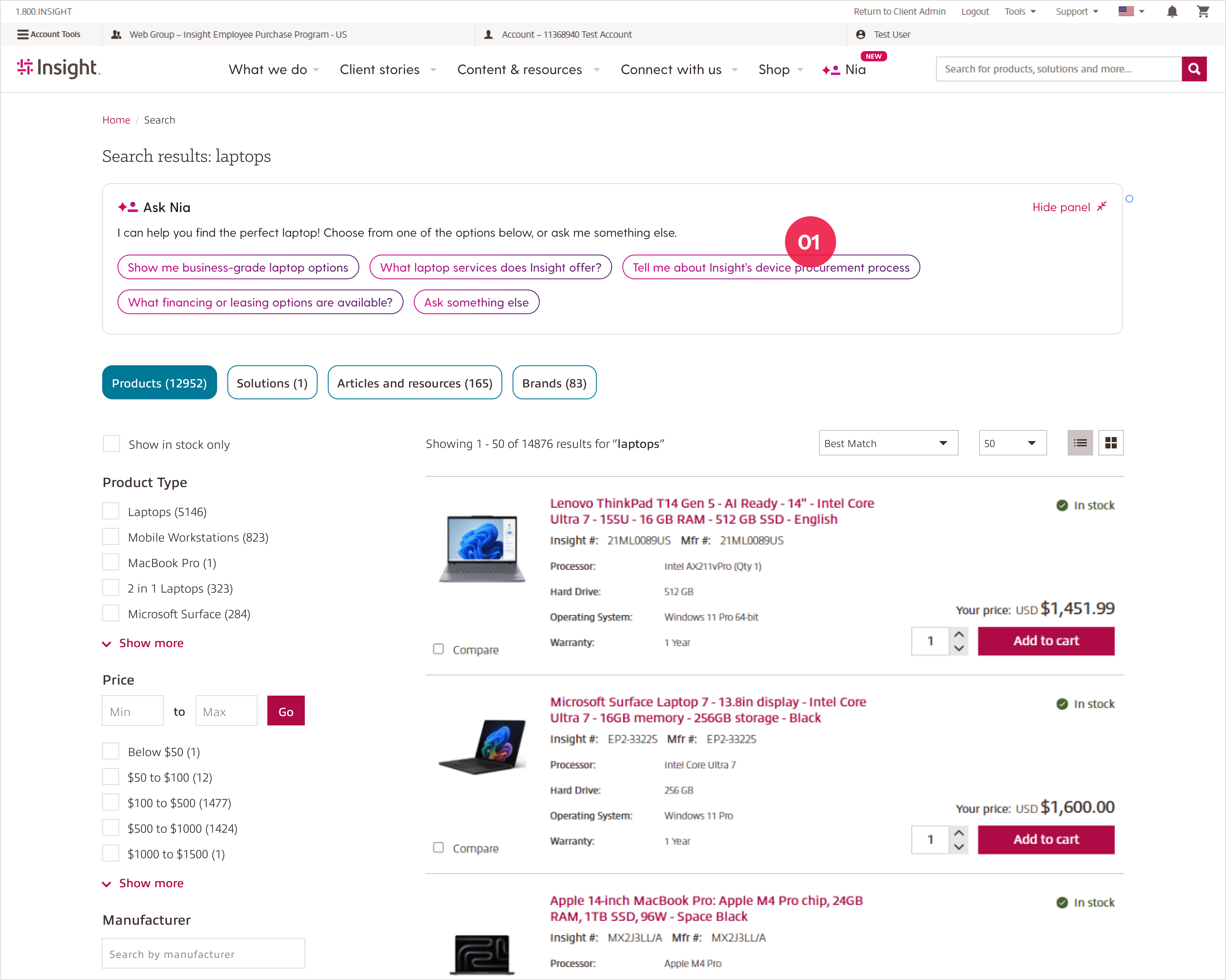
🔍 Next: Search results
Conversational filtering, personalized suggestions, and intent-based follow-ups help buyers narrow results faster.
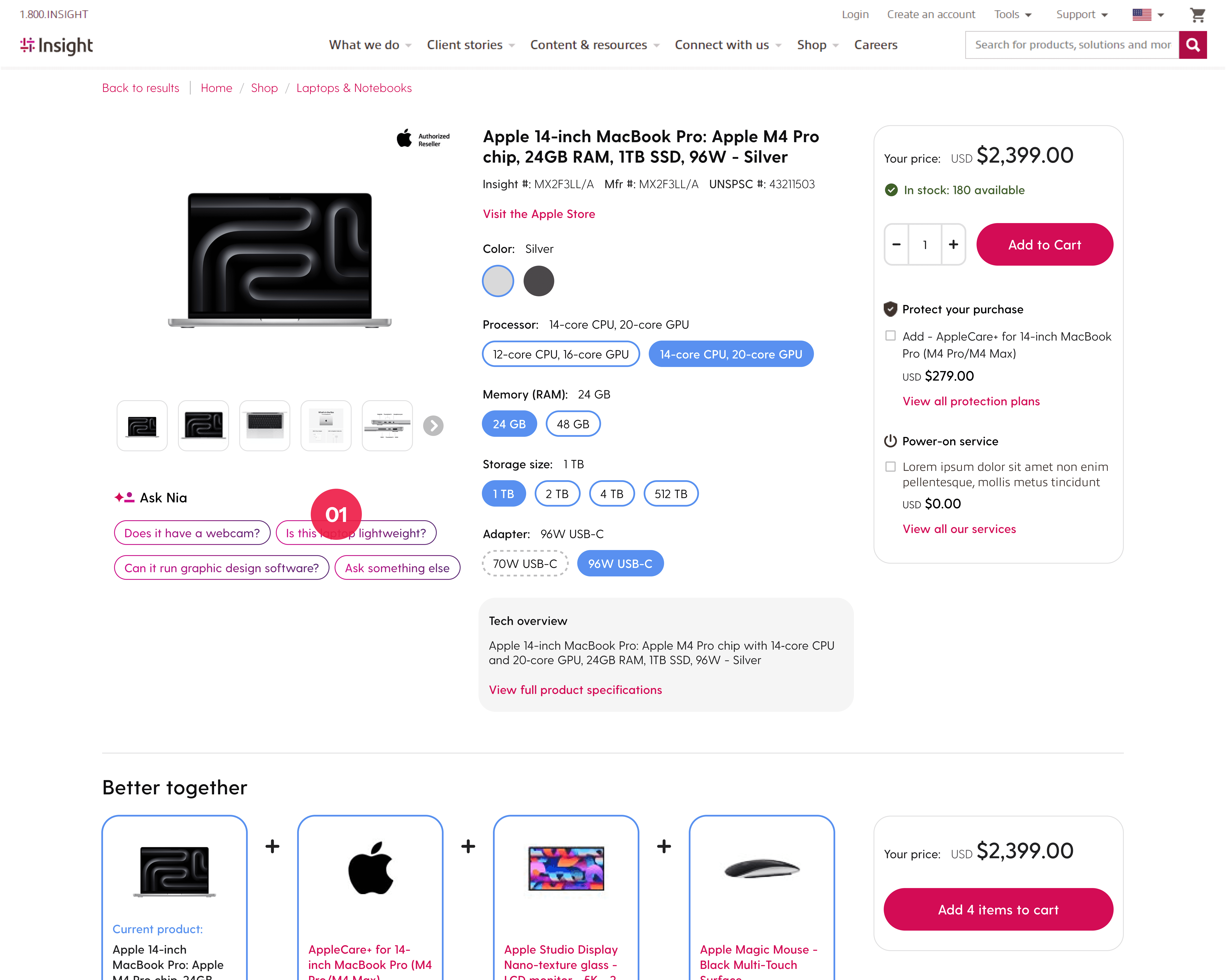
📄 Next: Product pages
Nia answers questions about product differences and fit right on the PDP, replacing long feature lists.
08 · Outcome
Faster decisions, bigger baskets, happier buyers.
After launch, the purchase flow got 22% faster, bundle attachment rose 15%, and user satisfaction improved by 12%.
Measured through Adobe Analytics and staging account testing, and validated with direct customer feedback after launch.
09 · Reflection
Start from the problem, not the technology.
The hardest part wasn't designing an AI feature. It was steering a vague mandate toward a real user problem. Starting from data instead of a trend gave the team a shared reason to build, and gave Nia a job worth doing.
👨💼